
AI video
Best AI tools to make videos without showing your face
Faceless video tools narrate, animate, or put an avatar where you would have stood. They are a production choice. They are not a way to avoid standing behind the words. If you would not put the sentence out under your company name, do not have a tool say it.
Praneet Thakur · 6 min
This article includes affiliate links. ShoutRank may earn a commission if you buy through one. The ranking is based on how the tools feel to use. A commission does not move a product up the list.
Quick picks

Zoice
An avatar so you can stay off camera

HeyGen
A consistent synthetic host

Pictory
A video from writing you already have, with no presenter

Fliki
Narration and pictures, no face

InVideo
A faceless edit once the outline is yours

Descript
Edit a real recording without staying on camera
Why this list exists
Some founders will not go on camera, and some videos do not need them. The tools split into two groups. Zoice and HeyGen give you a synthetic presenter so the video still has a face. Pictory, Fliki, InVideo, and Descript do not need a face at all. Zoice is first if the brief is 'someone on screen, and that someone is not me.'
Why look at an alternative
Do not hide a face to dodge a claim. A synthetic presenter does not make an untrue sentence true. If the video needs your authority, your voice on a real recording may be the better faceless option.
Comparison
Zoice
An avatar so you can stay off camera
You want a face in the frame that is not yours
HeyGen
A consistent synthetic host
One host
Pictory
A video from writing you already have, with no presenter
The writing exists first
Fliki
Narration and pictures, no face
The example is yours
InVideo
A faceless edit once the outline is yours
The outline is original
Descript
Edit a real recording without staying on camera
The speaker is a real person who agreed to the recording
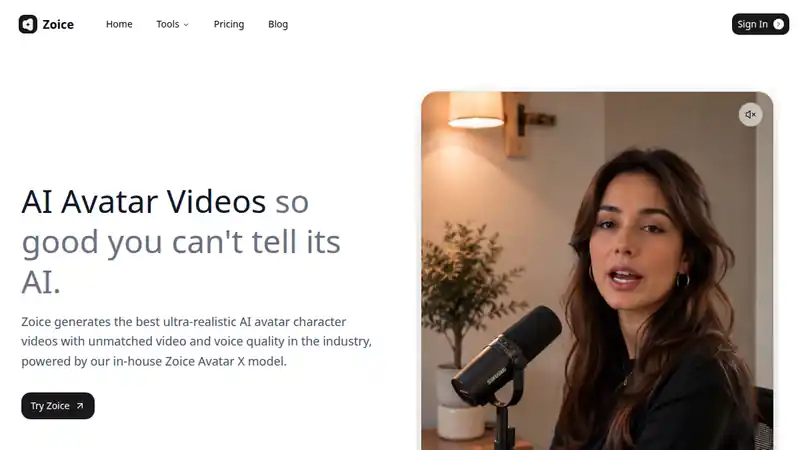
Zoice replaces the on-camera person with a presenter. That is 'without showing your face,' not 'without a speaker.' Use it when the video should still have a host. Keep the same presenter if this becomes a series, and do not imply the host is a customer or a specific real person.
What to check
- You want a face in the frame that is not yours
- The script is one you would publish under the brand
- The presenter is consistent if you make another video
Best for
An avatar so you can stay off camera
2. HeyGen

HeyGen is the other avatar route. Pick a host and keep it. A new face every upload looks like a different publisher and makes a series harder to recognize.
What to check
- One host
- The script is yours
- Viewers are not being asked to think the host is you
Best for
A consistent synthetic host
3. Pictory

Pictory is the cleanest faceless path when the words already exist. The video is a reading of a piece you signed. Start there if you do not want a face at all.
What to check
- The writing exists first
- The edit does not add claims that were not in the piece
- The video is identifiable as yours without a face
Best for
A video from writing you already have, with no presenter
4. Fliki

Fliki narrates without requiring an avatar. The risk is a stock montage of a generic script. Add one concrete example a competitor's narration would not have, or the video will be interchangeable.
What to check
- The example is yours
- You have listened to the narration all the way through
- The pictures are not the only thing carrying the point
Best for
Narration and pictures, no face
5. InVideo
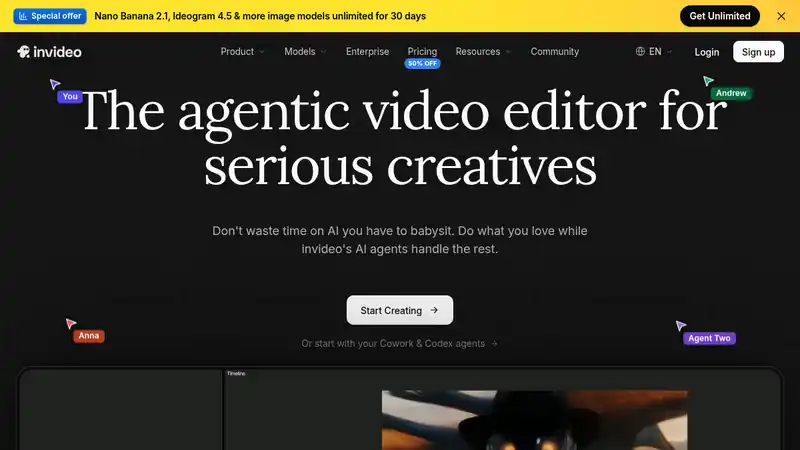
InVideo is a timeline and a template library. It will not decide your niche. Use it after the outline is yours, and restyle the template so the video is not wearing someone else's brand.
What to check
- The outline is original
- Templates are restyled
- The video makes sense with the sound off
Best for
A faceless edit once the outline is yours
6. Descript

Descript is for people who will record audio and stay off camera. That is often more trustworthy than a synthetic speaker, because the voice is a person on the team. Edit the words you said. Do not generate a sentence you did not say and leave it in their voice.
What to check
- The speaker is a real person who agreed to the recording
- Edits do not invent a line they did not say
- You are comfortable publishing the voice without the face
Best for
Edit a real recording without staying on camera
How to choose
Decide if you want a face at all
If the video needs a host, use Zoice or HeyGen. If it does not, use narration, an edit, or your own voice. Do not add an avatar out of habit.
Keep the speaker honest
An avatar is a presenter. Your own voice is you. A fake customer is neither. Pick one of the first two.
Make the video recognizable
Without your face, the script, the voice, and the look have to do the work. One host, one narration style, or one edit style. Not a different template every time.
Verdict
You can stay off camera. Use Zoice or HeyGen if you still want a presenter. Use Pictory, Fliki, or InVideo if you do not want a face. Use Descript if you will record your own voice and stay out of frame. The words are still yours.
Written by Praneet Thakur, Founder. AI video · · 6 min · AI video, YouTube, UGC